This page is currently being written — content is added progressively as the project is documented.
ESP32 · Touch 7 displayRotator Interface — Control Panel
A wireless control panel for the rotator, as a companion to the Rotator Interface project.
Overview
This page describes the 7" touchscreen display with an ESP32-S3 module that I used for remote control of the rotator.
In practice, the 2.4" touch display turned out to be too small. I kept that module because I need something that is connected to the rotator by cable, evaluates the azimuth and drives the rotator (but I no longer use the 2.4" display). It still works fully as the M1 module, while for control I now use a 7" touch display with the same ESP32-S3 MCU (which I call the M2 module). No extra hardware work was needed: the display module is sold as a finished unit, so I only made a suitable enclosure and uploaded my own firmware. The M1 and M2 modules communicate with each other over their own dedicated WiFi channel.
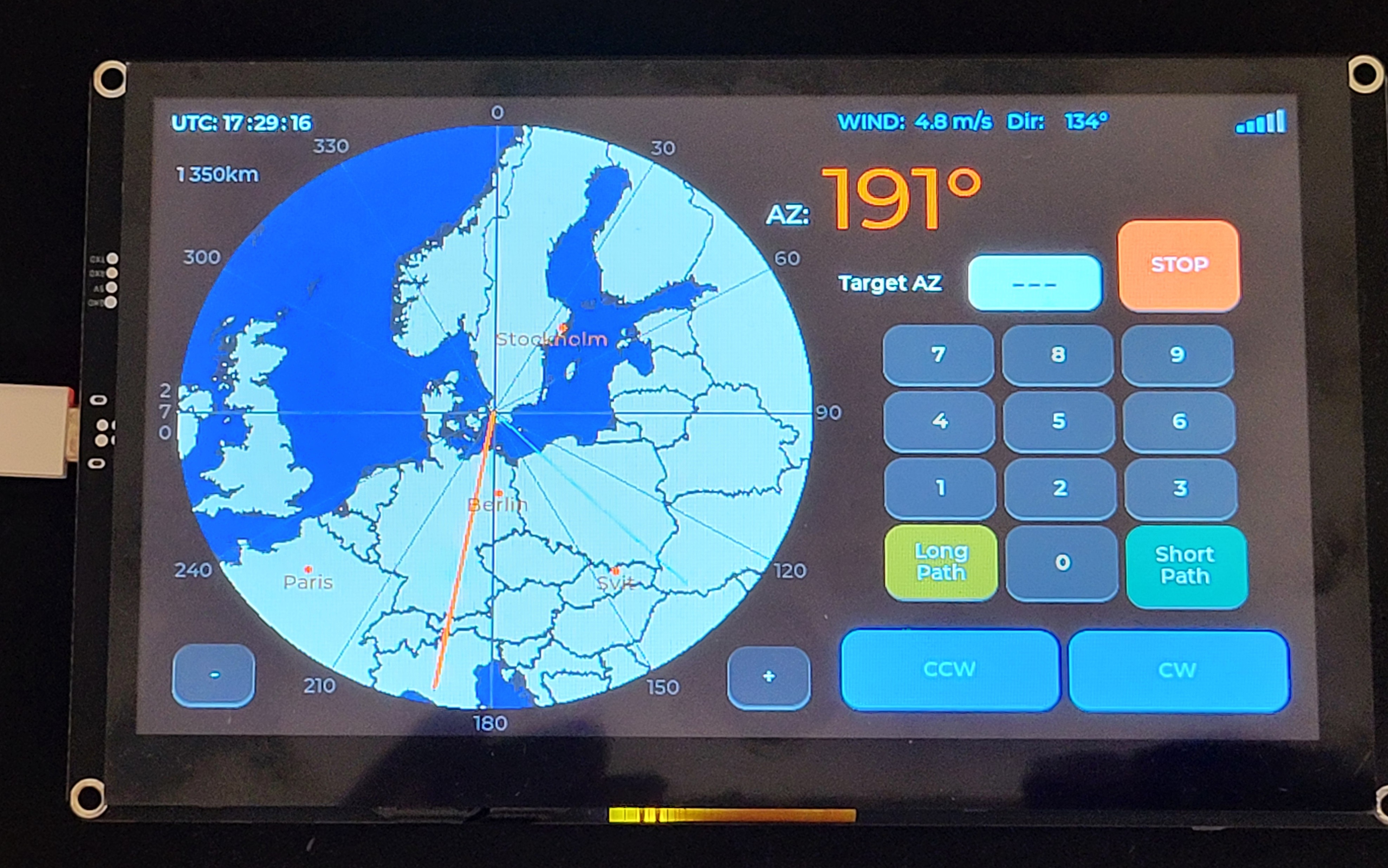
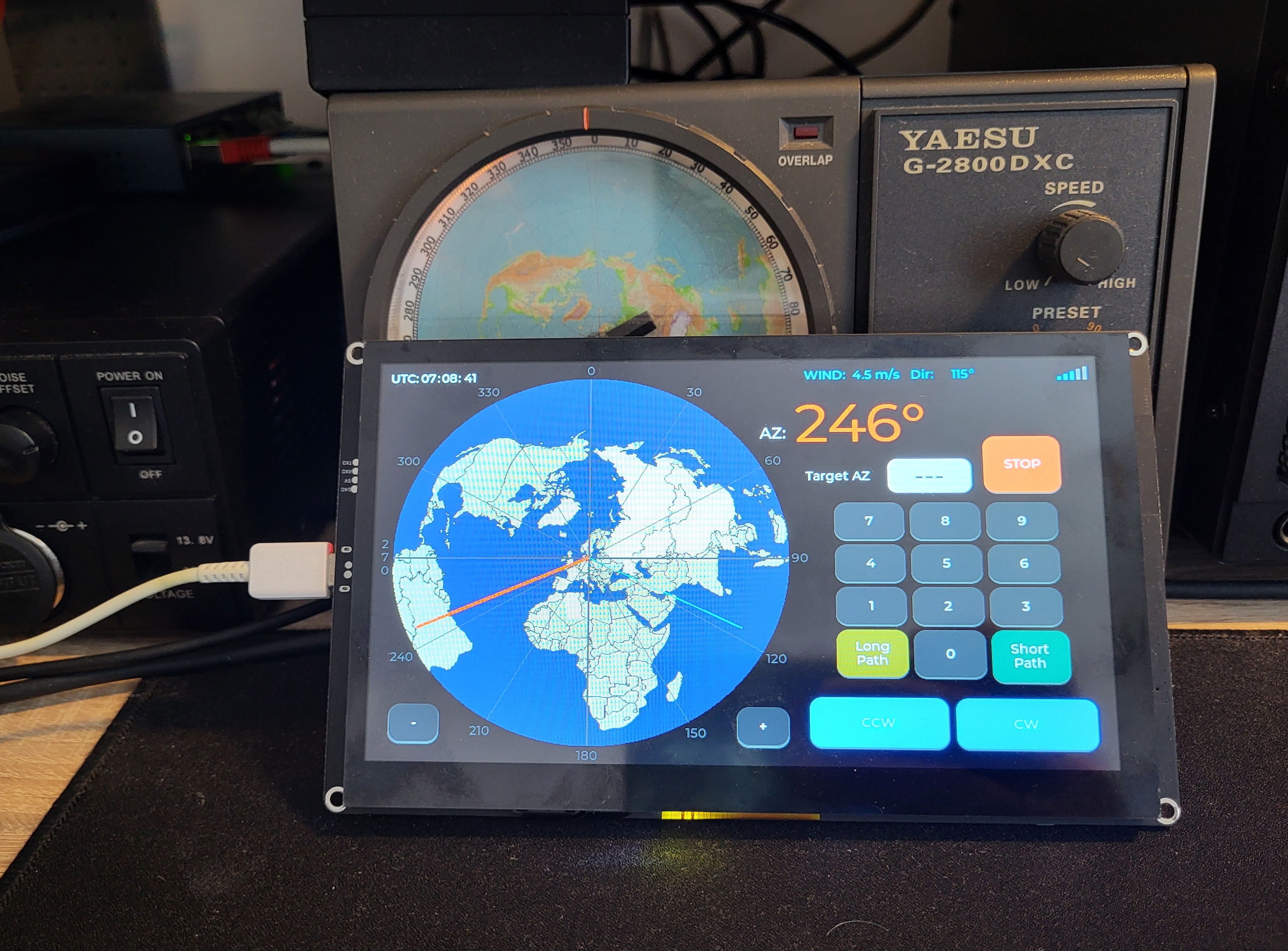
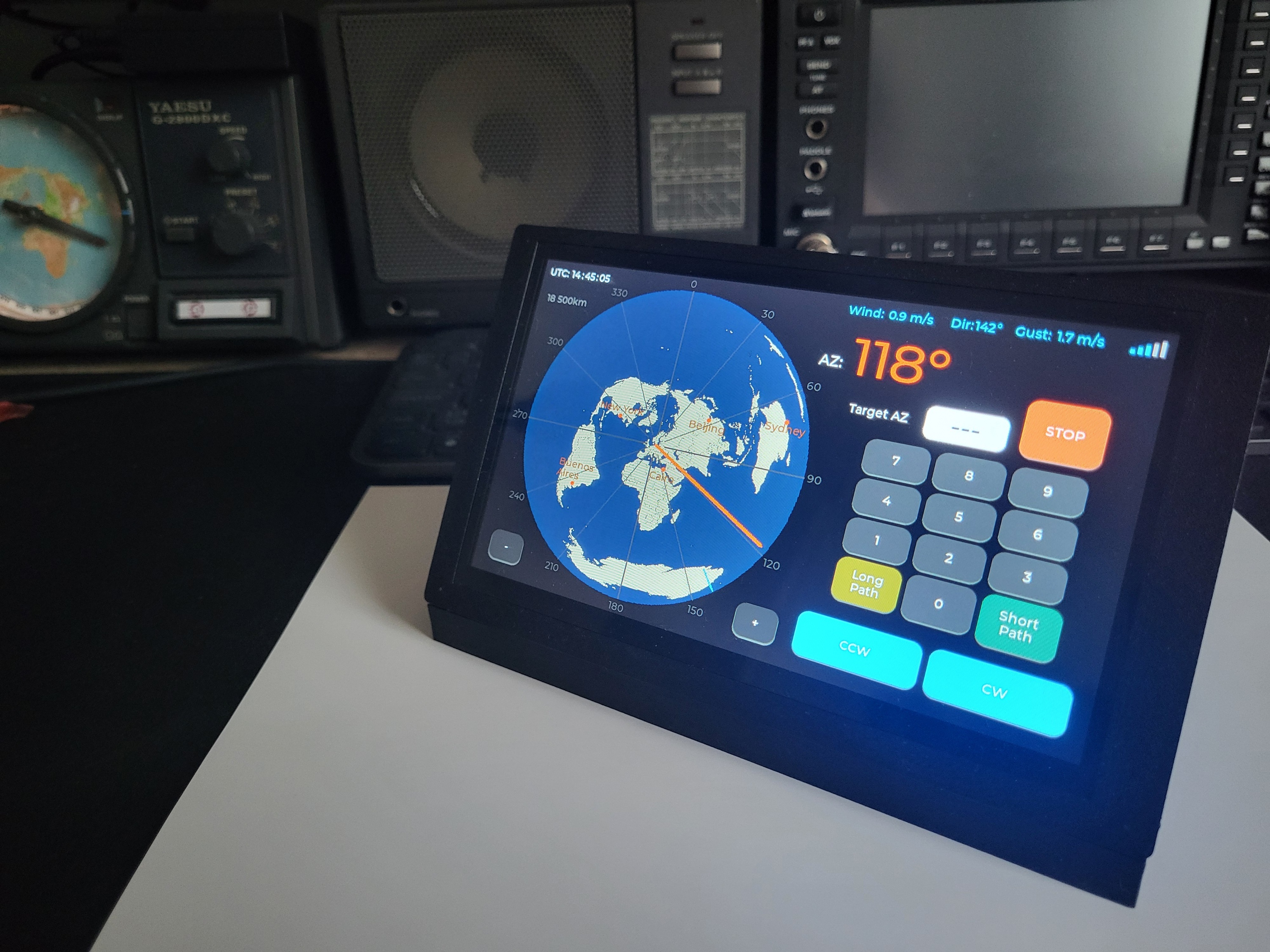
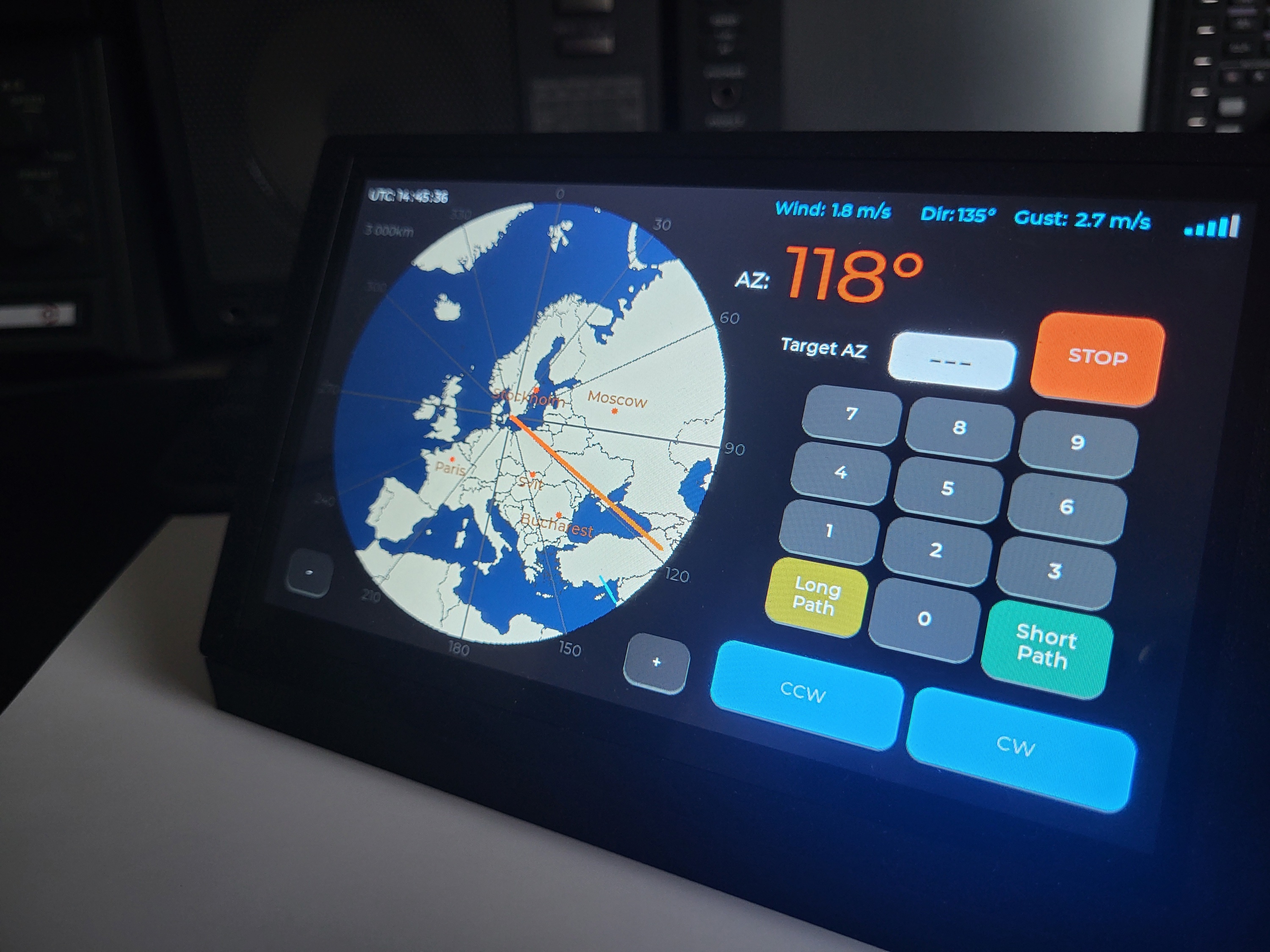
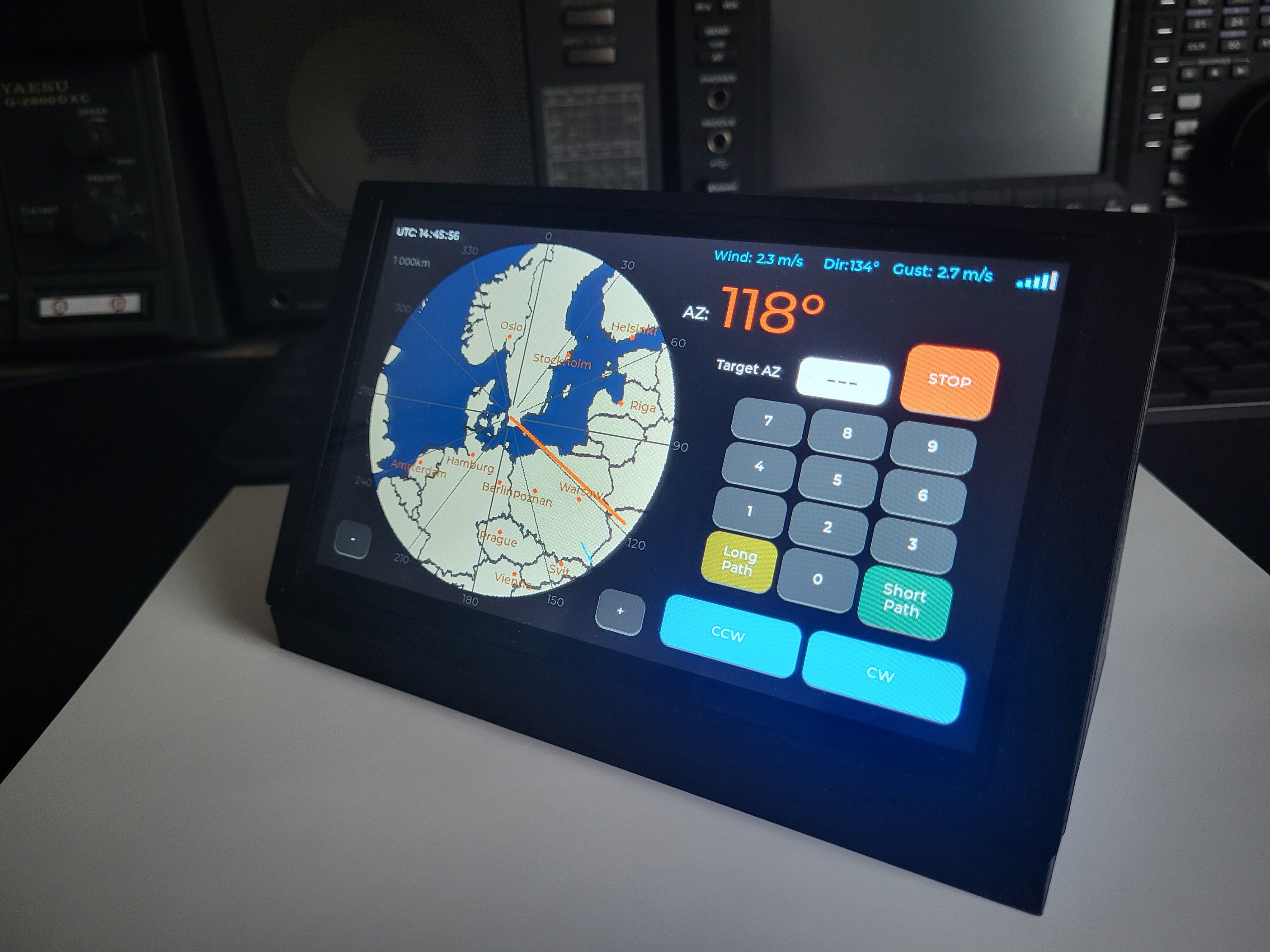
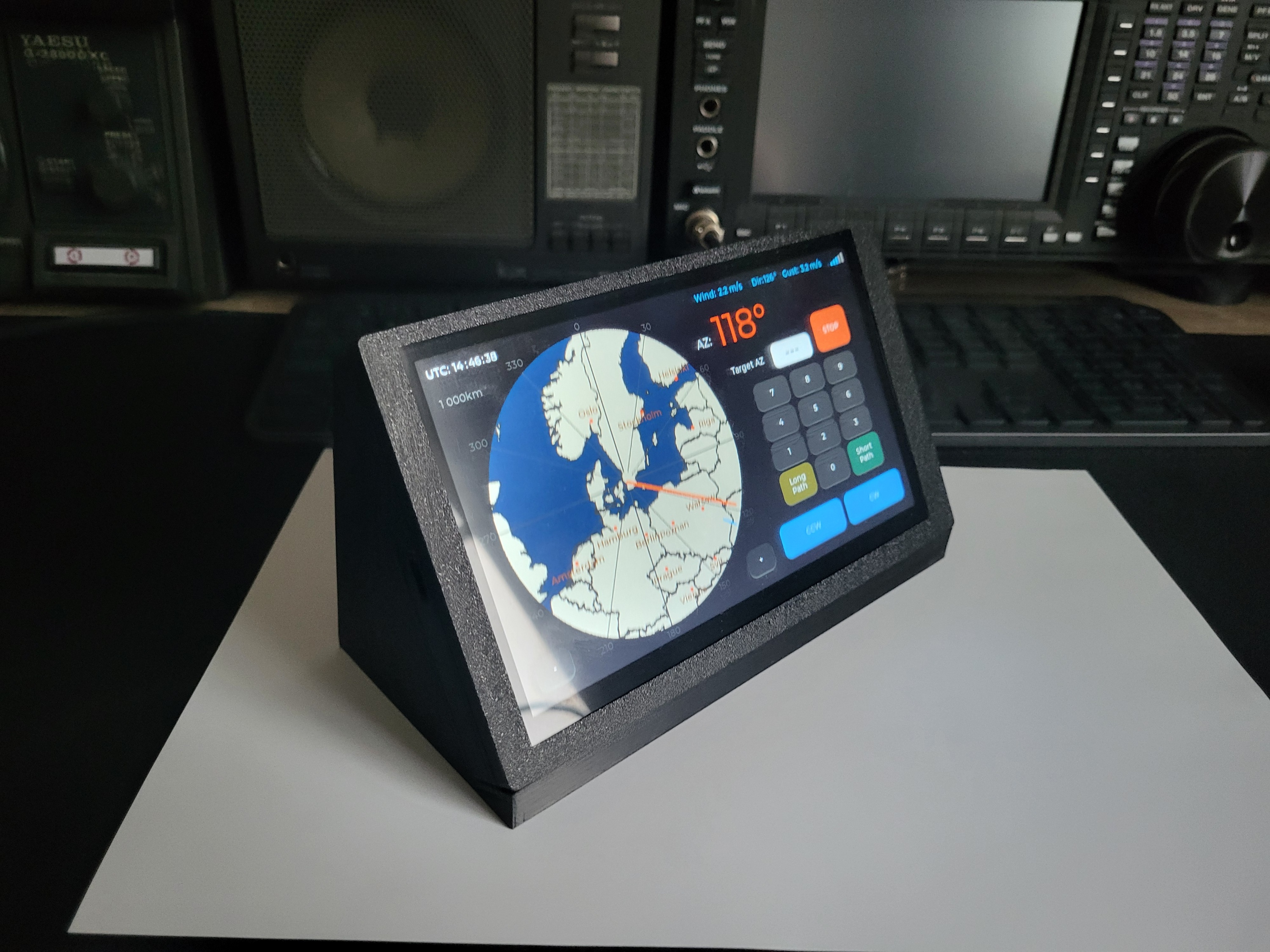
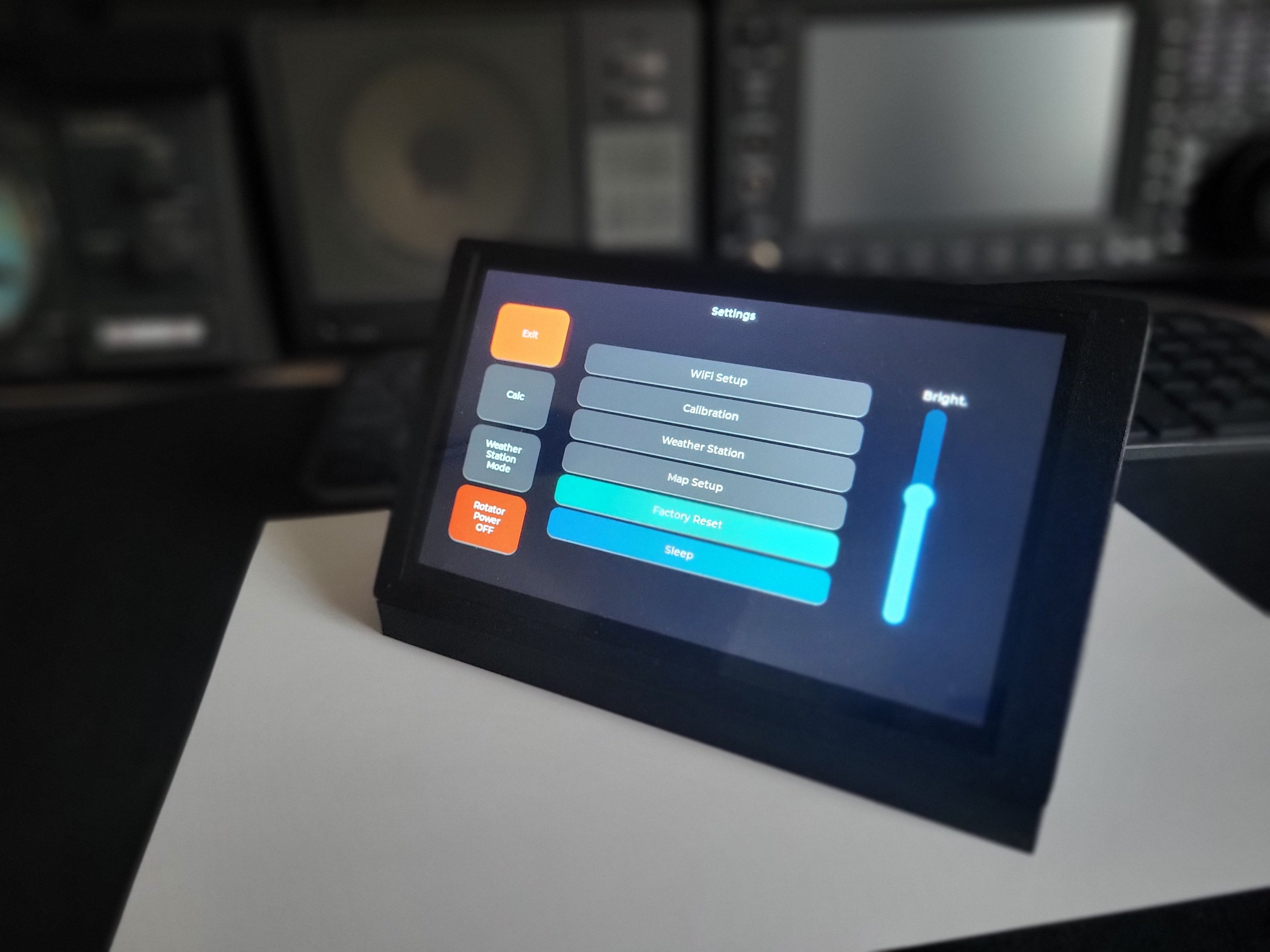
The module can generate a circular/azimuthal map centered on the locator you enter in the menu. The map has a maximum range of 18,500 km and a minimum of 1,500 km.
Control is touch-based — tap anywhere on the map, or enter the desired azimuth directly using the keypad.
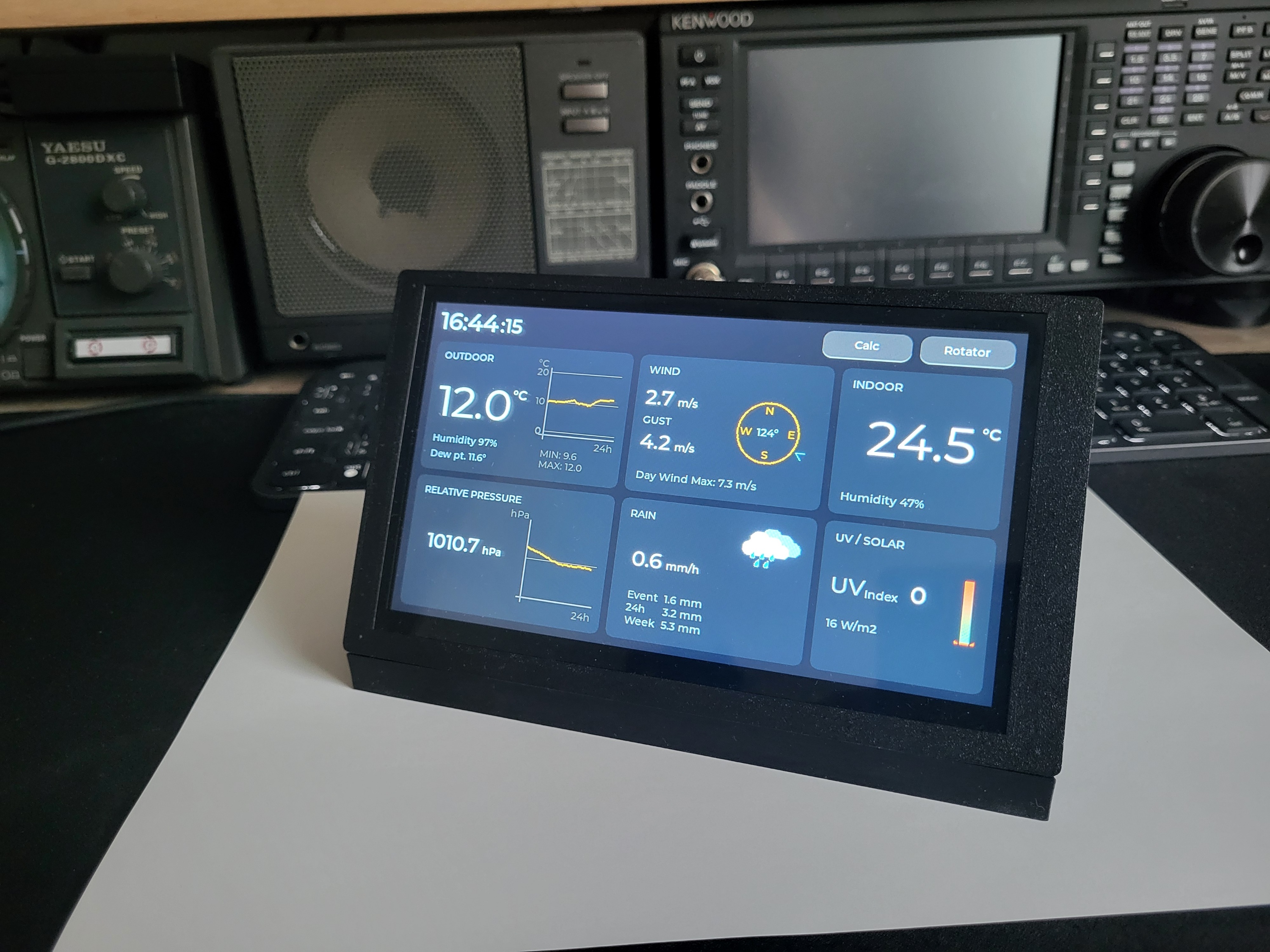
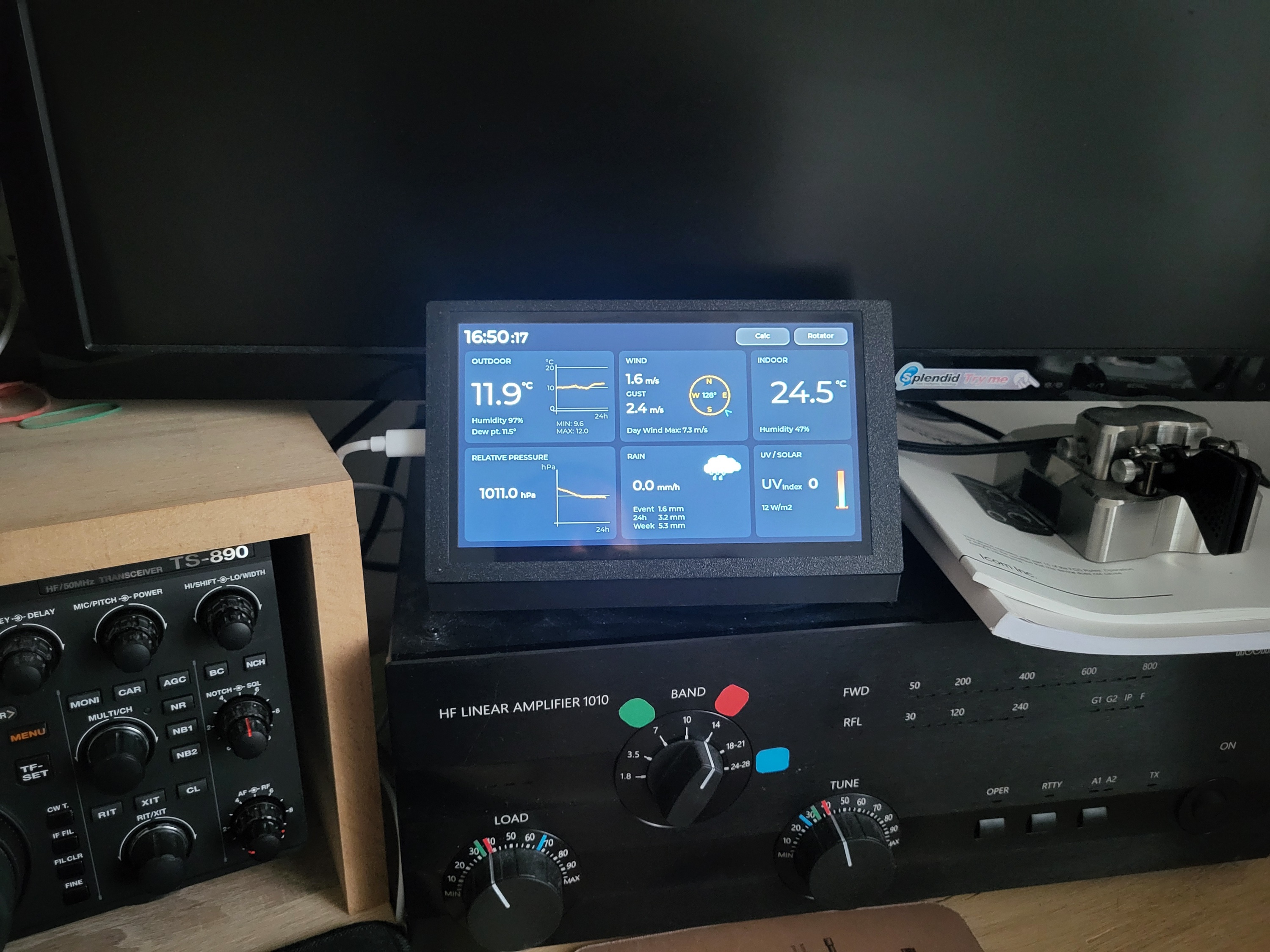
I also connected the display over WiFi to my home weather station (which uses a common weather data protocol) and to a smart plug that switches the rotator's power on and off. When I'm not using the rotator (not operating amateur radio), both the rotator and the M1 module are switched off to save energy.
The M2 module receives data from the weather station 24/7/365, and when the set wind speed is exceeded, it sends a command to switch the rotator on. Once powered, the antenna turns by the shortest path to the direction where it offers the least wind resistance (configurable as 0° or 90°). This ensures that if strong wind starts blowing at night, or when I'm not at home, the antenna turns to the correct direction.
The Control Panel is a 7-inch display, the CrowPanel Advance 7inch HMI ESP32-S3.
Note: For the display to work correctly and without artifacts, you must use the right board package version and the patch released by the display manufacturer, Elecrow, when compiling the code in Arduino IDE. Currently this is board package version 3.2.0 with the patch (not the latest 3.3.12, which has no patch).
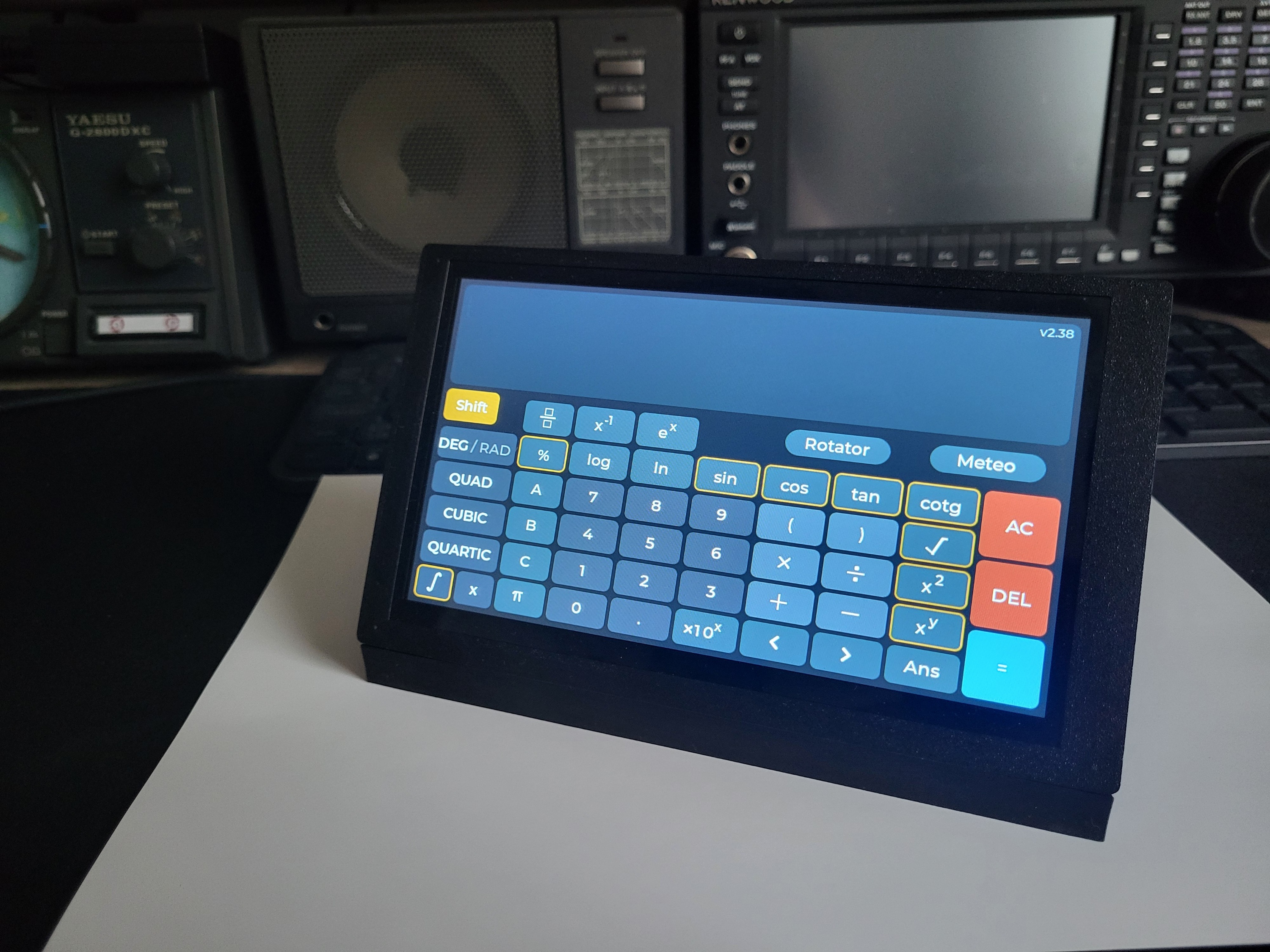
When I'm not using the rotator, I use it to display weather data from my weather station, or as a calculator.
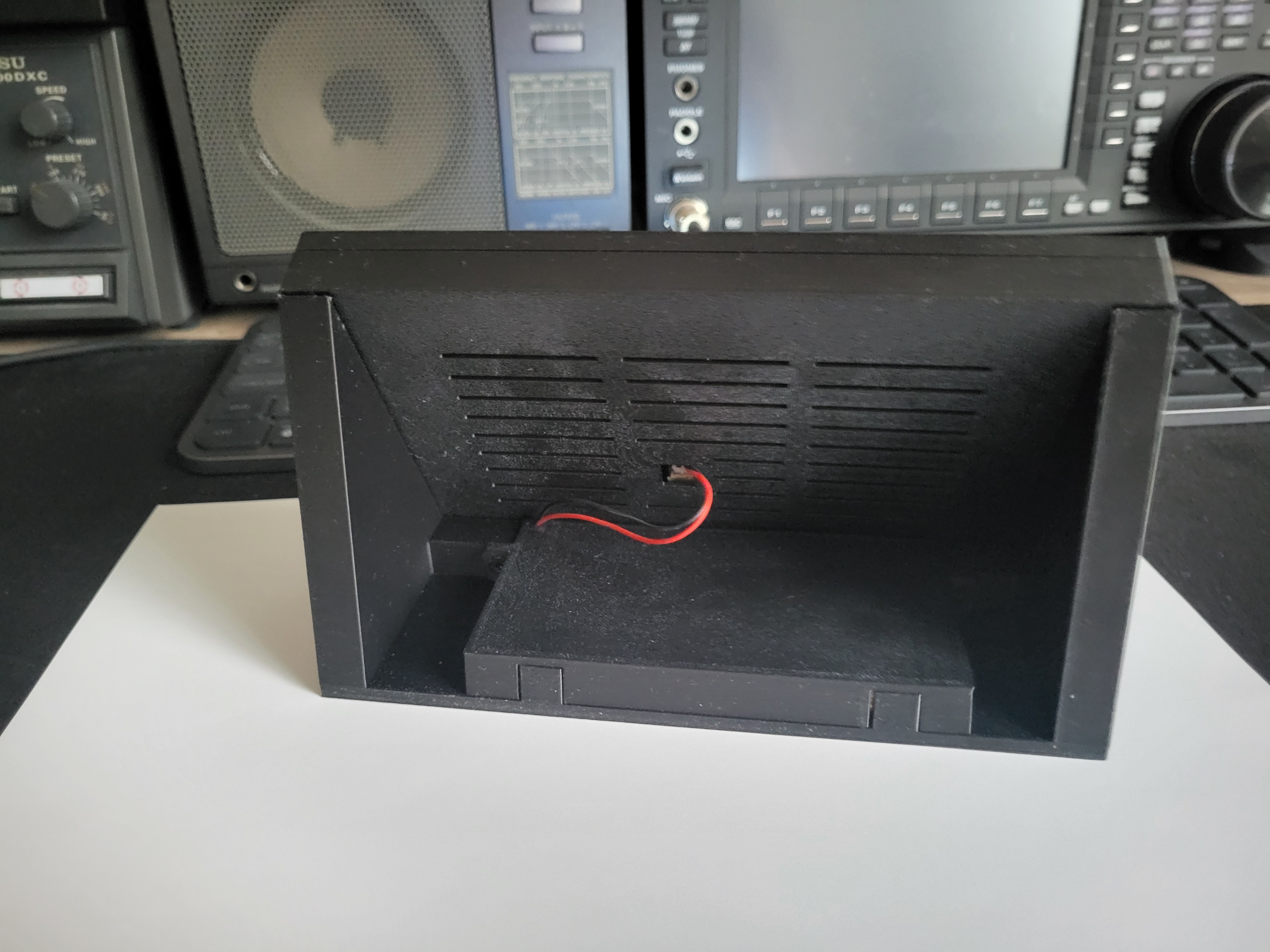
I built an angled stand that allows comfortable operation and has room for a LiPo 3.7V 10,000mAh battery, so the panel can be used truly wirelessly for about 10 hours.
More details will be added progressively, as the device is still under development.
